How to add HK2B token in MetaMask?
1) Open MetaMask and ensure you are on the correct network: Ethereum Mainnet.
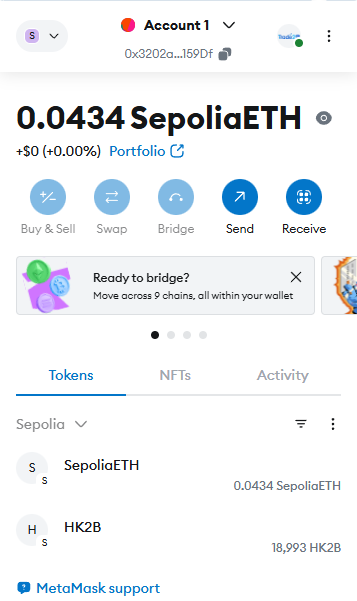
2) Go tothe Tokens/Asset section.
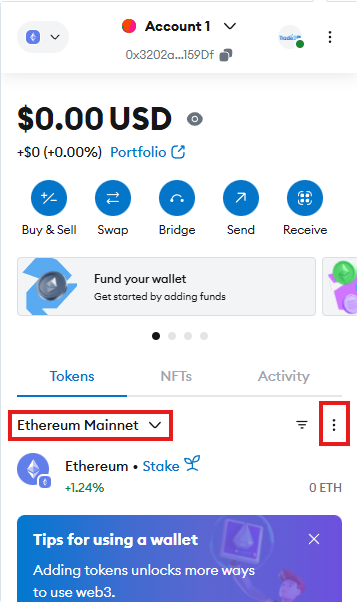
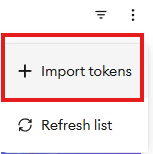
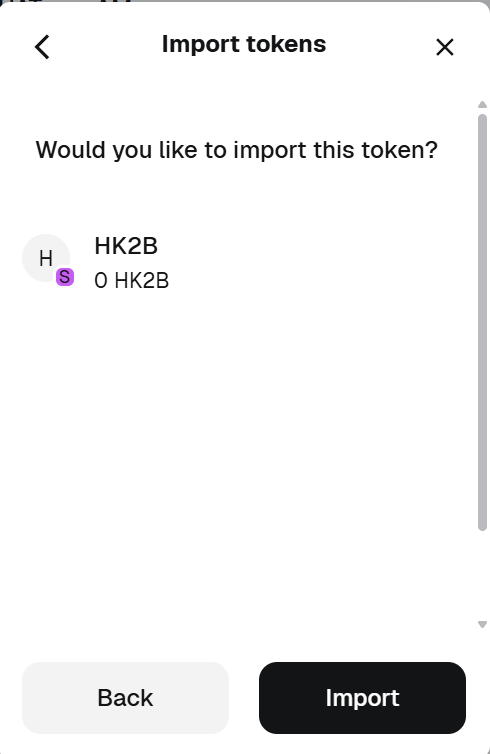
3) Choose + Import tokens.
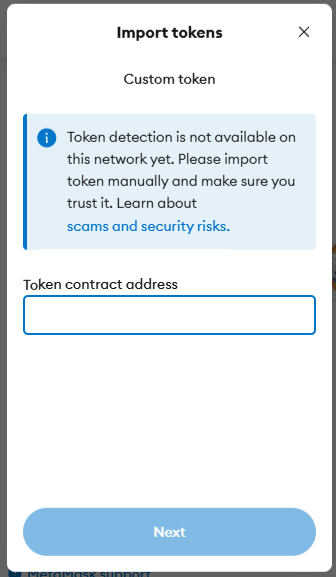
4) Paste the official HK2B contract address into the Token contract address field, press Next.
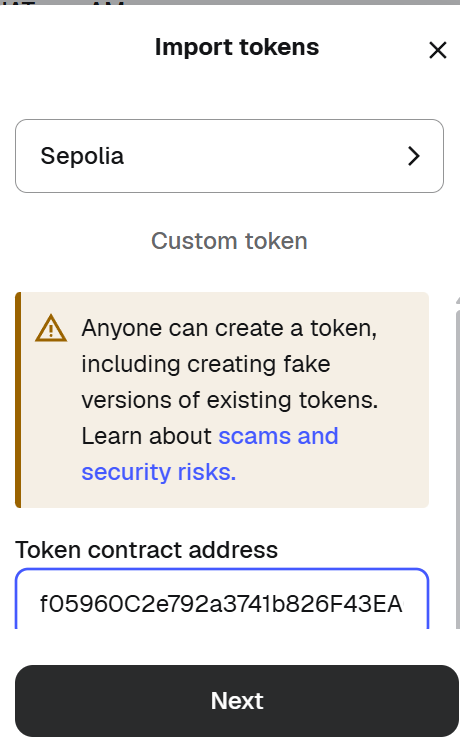
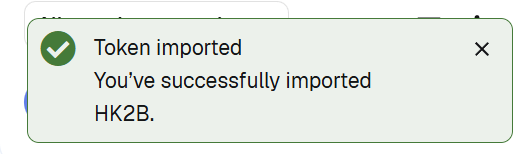
5) Review and confirm by choosing Import.
Official contract address of HK2B:
0x515d224BC2F49f05960C2e792a3741b826F43EA0
IMPORTANT NOTICE:
While the content creator of this page had exercise care in preparation of the information and content at the time of the creation of this page. Charts, figures and examples are illustrative only, we cannot guarantee the timeliness and accuracy of such information and content by the time you read the information.
The information and content in this section are not a solicitation / invitation / recommendation and is not an investment advice. You are advice to seek independent advice from professionals before, including but not limited to buying / selling / holding / exchanging / swapping / engaging business / making any decisions related to Stablecoins / Digital Assets / Virtual Assets.
IF YOU ARE UNSURE, PLEASE CONSULT FOR INDEPENDENT AND PROFESSIONAL ADVICE NOW.
A total of 1 page 1 data