How to set up 2FA?
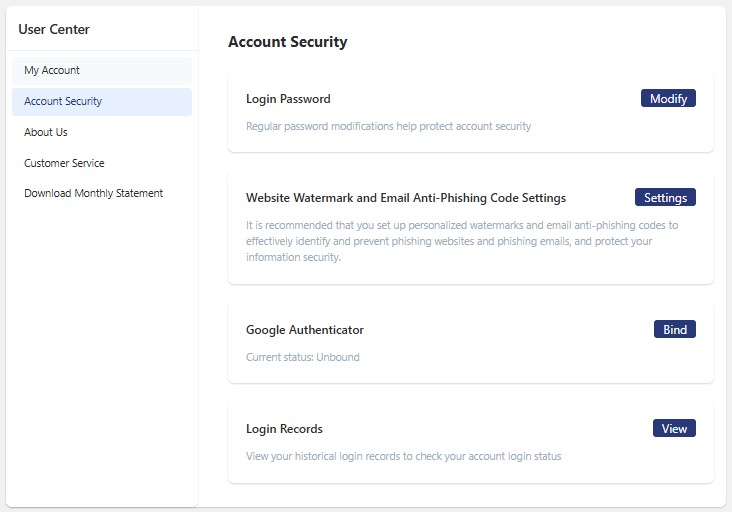
Step 1: Log in your account and go to User Center.
Step 2: Choose Account Security.
Step 3: Download Google Authenticator. In the app, tap Add Account, then scan the QR code or enter the key manually. Make sure to back up the key information in the app.
Once added successfully, a dynamic verification code will be displayed in the app.
Step 4: Choose Bind Google Authenticator.
A total of 1 page 1 data